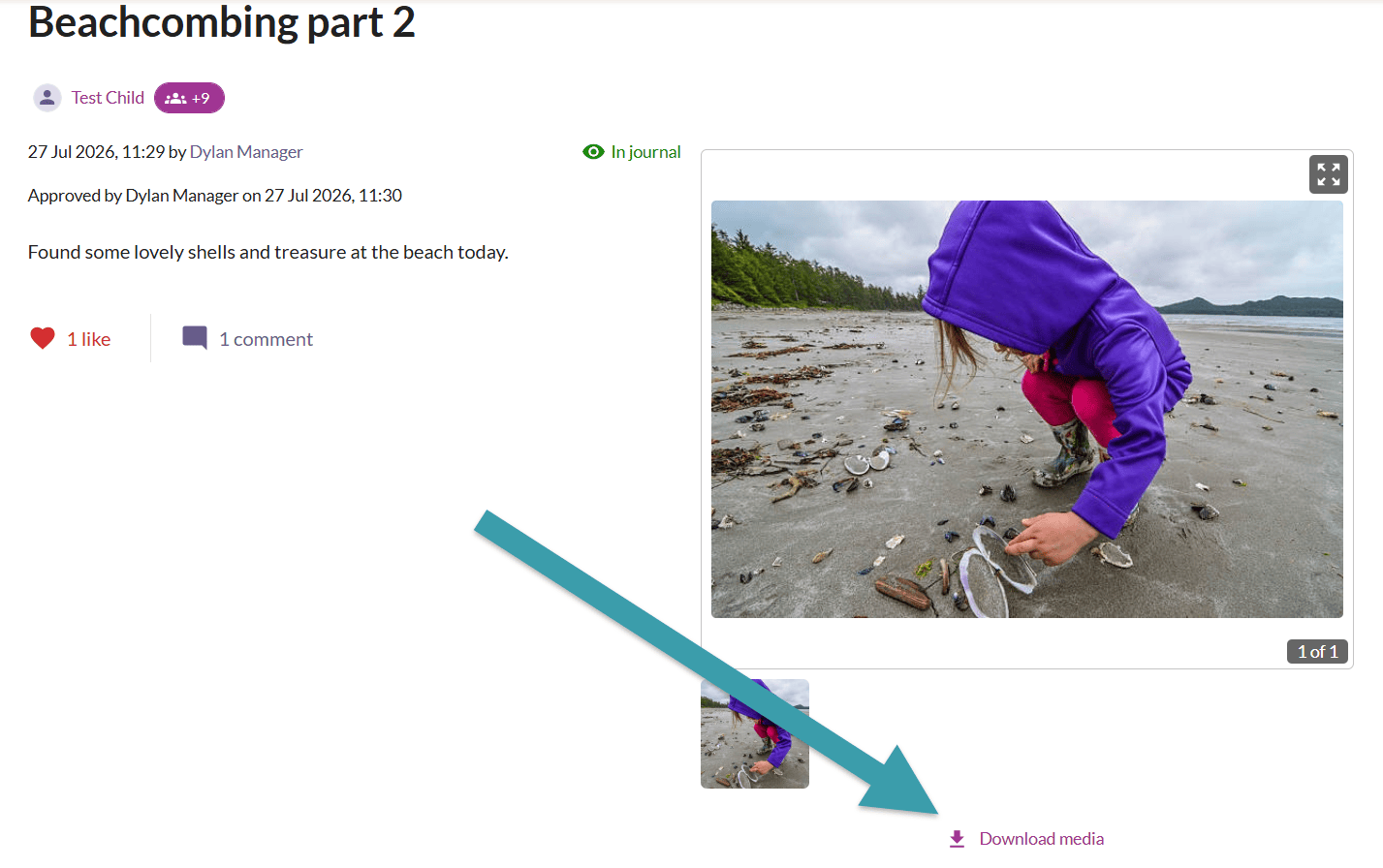
In this tutorial we are going to cover how you can display a ‘Download media’ button on observations to allow users to download photos, videos & audio from individual observations. This may be a useful option as videos will not be included within a PDF journal export.
In addition to this, a manager on the account can also export a ZIP file with the children’s full media collection, which can then be downloaded by relatives from their own accounts. This tutorial explains how.
Please note that this permission will display a ‘Download media’ button so users can easily do so. If this permission is set to ‘Not Permitted’, users may still be able to right click/long press on media and download it directly onto their devices, or even take a screenshot of it. You can read about this and other safeguarding considerations when adding relatives to your account here.
You will need to a manager staff user on the browser to action this.
Allowing users to export media
To get started, depending on whether you’d like to enable this for Relatives or Staff users, you will need to navigate to the relevant User Permissions screen. You can do this by selecting Configuration, then Relatives (or Staff), and finally Relative (or Staff) User Permissions.
On the User Permissions screen, open up the drop-down menu titled Observations.
Then scroll down to locate the permission titled See a “download media” button. Select Edit next to this.
You will then be able to change the default status, from Not Permitted to Permitted, or vice versa. If you’d only like to permit this for certain individuals, you can do this here too, by selecting Set different permissions for some users and then altering the permission for the relevant individuals.
Once this permission has been enabled for a user, they will see a Download media button when they view an observation on the browser or the app. To download the media, they just need to click/tap this button and then select the items they wish to download to their device.
That’s it for this tutorial! You can now allow users to export media from observations!