In this tutorial we’ll take a look at how you can convert your trial account into a full subscription, for both active and inactive/expired accounts. Converting the account will allow you to keep all of your existing data. The conversion will be complete once the conversion invoice is marked as paid.
If you’d like to start afresh without your trial data, or need any other support during your trial period, please contact welcome@trials.tapestry.net and we’ll be happy to help!
If you’re looking to set up a trial account, you can do so here.
Please note that you will need to be a manager staff user on the browser version of Tapestry.
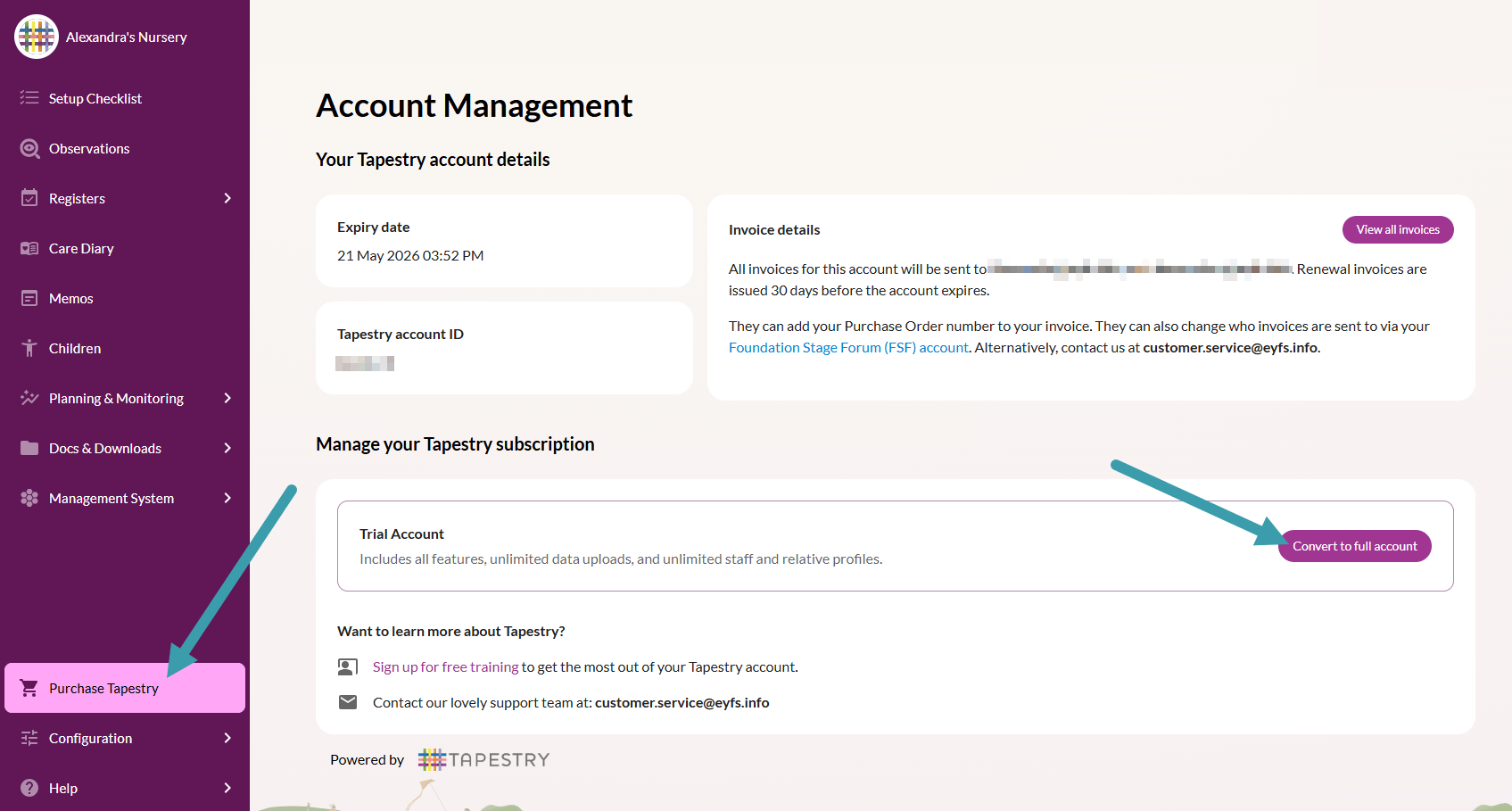
Login to your account at tapestryjournal.com and click on Purchase Tapestry. This will take you to your account management page where you can see the details of your account, such as: expiry date, account ID, who we send invoices to.
Under the Manage your Tapestry subscription section you can see that your account is currently a Trial Account. Click on Convert to full account.
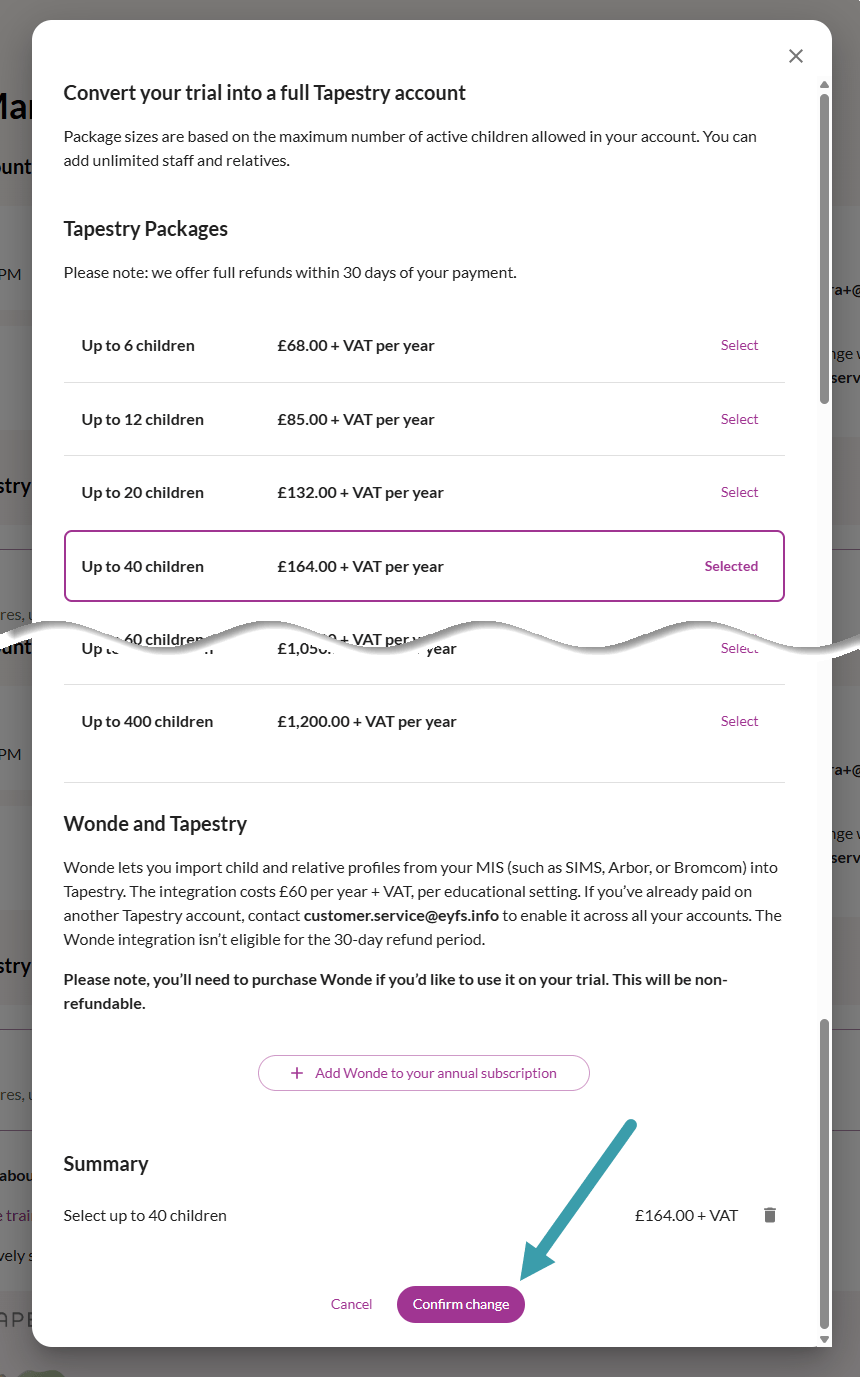
You will then see all of the subscription sizes we offer and the annual price. Please note that the only difference between the offered packages is the number of active children that you can have at any one time.
Select the size you need. (You can upgrade at any point, if needed. See how here.)
If you’d like to add on a Wonde integration then you can also do so at this stage (or later, if preferred). Once you’re happy with the Summary details, click on Confirm change.
Your conversion invoice will then be generated. Click on View all invoices to view your pending invoice.
The financial contact/s for your subscription will also receive the invoice via email and can access it from there.
Your invoice will look something like this. To pay your invoice, scroll to the bottom of the page and click on Pay.
You will then have three different options for payment. We would recommend paying via card, if possible, as this is the quickest payment method. If you choose this option simply follow the steps to make the card payment.
If you pay via cheque or BACS the payment can take up to 5 working days for us to process.
Once the invoice has been marked as paid the financial contact will receive an email to confirm.
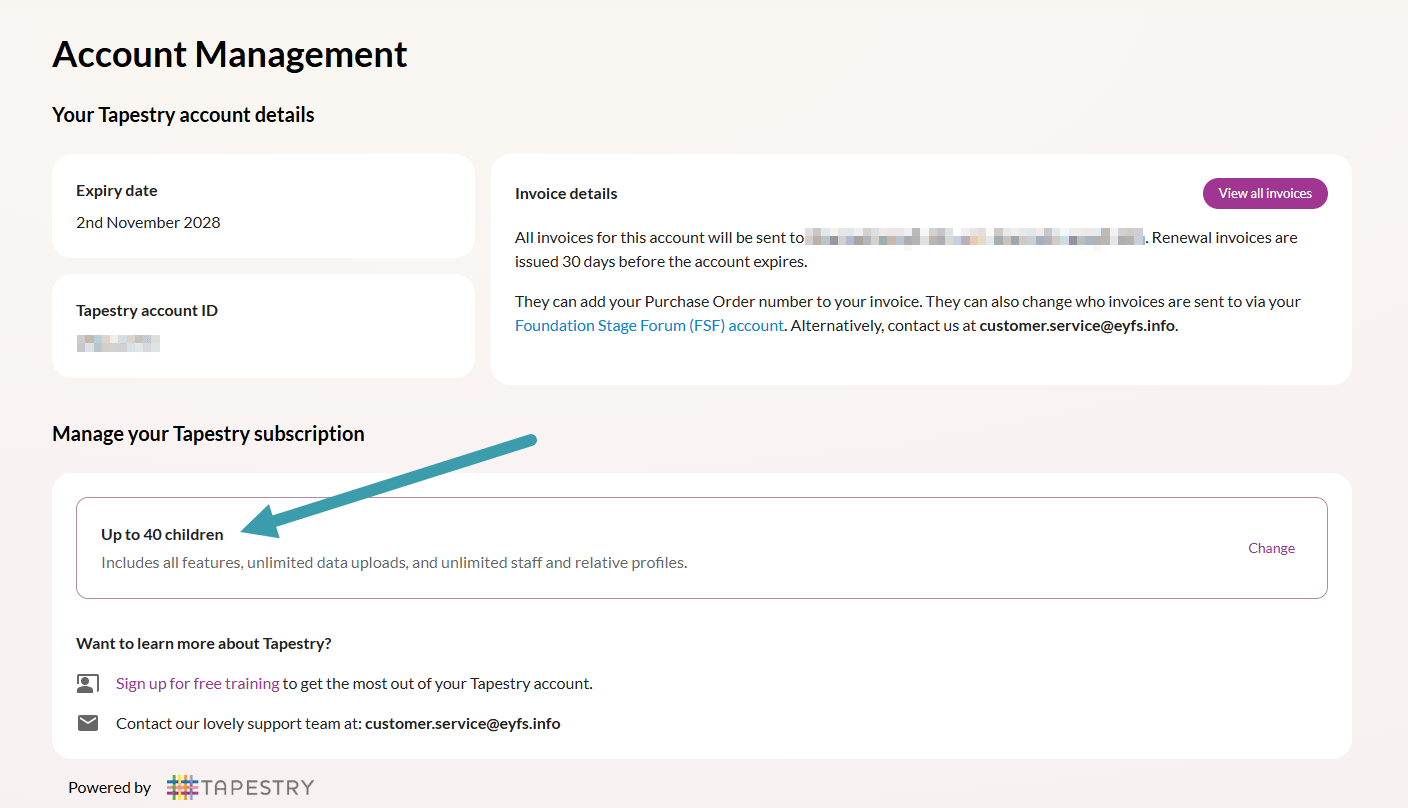
Back on your account you will also see that your subscription details have updated.
Once your account has been converted the Purchase Tapestry page will disappear. To access the Account Management page after this, go to Help > Account > Account Management.
When you login to your account at tapestryjournal.com you’ll see that your trial account has expired. Click on Convert your trial into a full account.
You will then see all of the subscription sizes we offer and can view our latest annual prices. Please note that the only difference between the offered packages is the number of active children that you can have at any one time.
Select the size you need from the down-down. (You can upgrade at any point, if needed. See how here.) Once you’re happy click on Send.
Your request for a conversion invoice will then be sent to the team. Once this has been actioned, and your conversion invoice generated, we’ll get back to you with a link to your invoice.
If you miss our reply, then the financial contact/s for your subscription will also receive the invoice via email and can access it from there. In addition, when you login you can access your invoices from here.
Your invoice will look something like this. To pay for your invoice, scroll to the bottom of the page and click on Pay.
You will then have three different options for payment. We would recommend paying via card, if possible, as this is the quickest payment method. If you choose this option simply follow the steps to make the card payment.
If you pay via cheque or BACS the payment can take up to 5 working days for us to process.
Once the invoice has been marked as paid the financial contact will receive an email to confirm. Your account will also be activated and renewed for a year.